
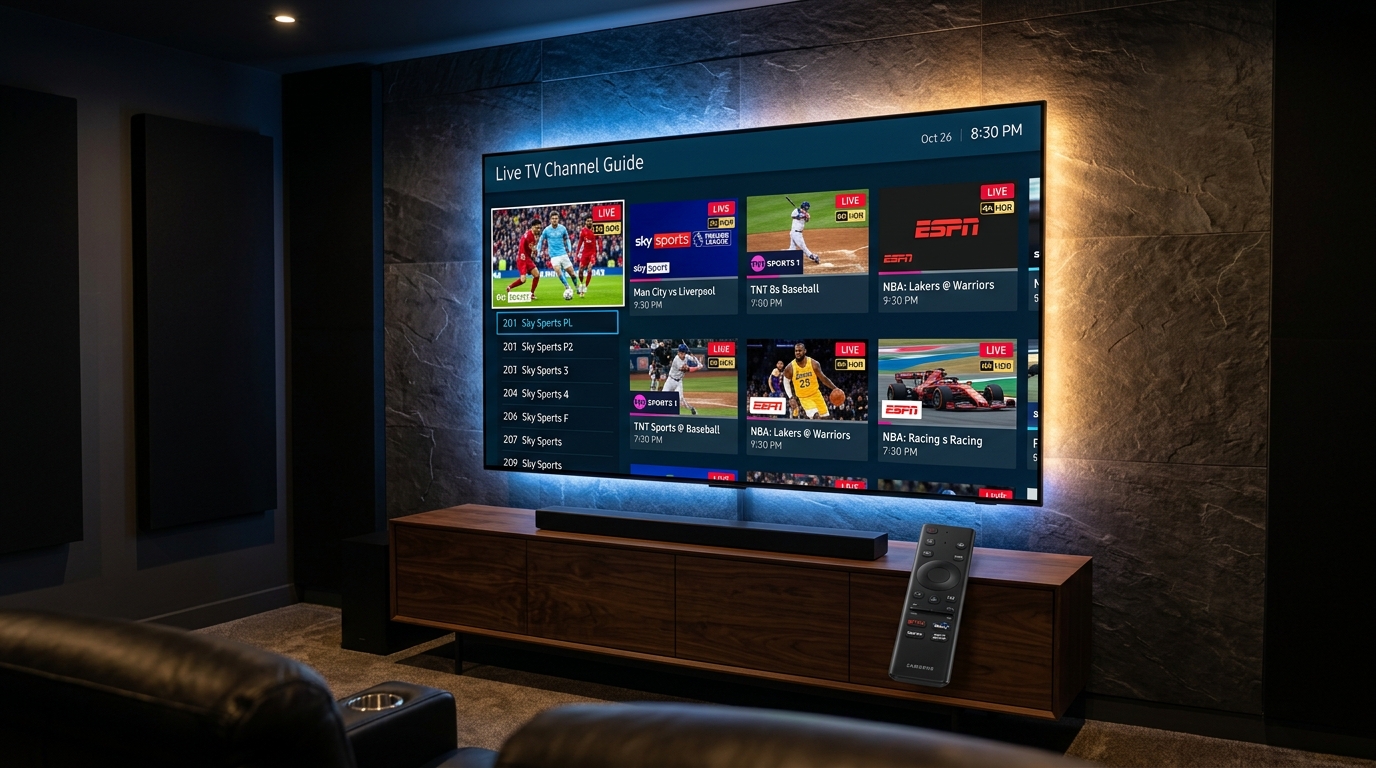
Completing an iptv samsung smart tv setup requires zero external dongles or sideloading. Because Samsung TVs run on Linux-based Tizen OS, you simply install IBO Player Pro (or Nanomid Player) directly from the official Samsung Smart Hub App Store. Launch the app to retrieve your unique Device ID and Device Key, then visit the web management portal on your phone or laptop to input your Watchmyiptv Xtream Codes API credentials. Refresh the app on your Samsung TV, and your entire 35,000+ channel catalog, 4K live sports, and VOD library load with native hardware acceleration in under 8 minutes.
If you recently purchased a Samsung Crystal UHD, QLED, Neo QLED, or OLED display, you own one of the finest video processing panels in consumer electronics. However, figuring out the exact iptv samsung smart tv setup can be confusing for beginners because Samsung televisions do not run Google Android TV or Fire OS. Instead, Samsung utilizes its proprietary operating system known as Tizen OS.
Because Tizen does not support traditional Android .APK files, you cannot install Android-only applications like TiviMate directly. Fortunately, you do not need to buy an external streaming box or plug in an Amazon Firestick. The native Samsung Smart Hub App Store hosts powerful, ultra-responsive IPTV client players engineered specifically for Samsung's hardware decoder microchips.
In this definitive 2026 engineering walkthrough, we guide you step-by-step through installing and configuring the top-rated native player—IBO Player Pro—as well as tested alternatives like Nanomid and Smart IPTV. We also provide our lab-verified network optimization settings to ensure your live 4K streams run with zero buffering, pristine color accuracy, and sub-second channel zapping.
Guide Index
1. Samsung Tizen OS Compatibility Matrix (2018–2026)
Before initiating your iptv samsung smart tv setup, it is crucial to verify your television's production year and Tizen OS generation. Older Samsung models (pre-2018 running Orsay OS or early Tizen 2.4/3.0) possess limited RAM and slower processing chipsets, whereas 2021–2026 models feature multi-core neural processors capable of decoding high-bitrate HEVC/H.265 streams with zero frame drops.
| Model Years | Popular Series Examples | Tizen OS Version | 4K 60fps Hardware HEVC | Recommended Player |
|---|---|---|---|---|
| 2024–2026 | Neo QLED QN900D/QN90D, OLED S95D/S90D, The Frame LS03D | Tizen 8.0 / 7.5 | ✓ Native Hardware (NQ4 AI Gen2) | IBO Player Pro |
| 2021–2023 | Neo QLED QN90A/B/C, QLED Q60/Q70/Q80, Crystal AU8000/CU7000 | Tizen 6.0 / 6.5 / 7.0 | ✓ Native Hardware (Quantum 4K) | IBO Player Pro / Nanomid |
| 2018–2020 | NU7100, RU7100, Q60R, TU7000, TU8000 Series | Tizen 4.0 / 5.0 / 5.5 | ✓ Supported (Set Buffer to 3s) | Smart IPTV (SIPTV) / IBO |
| 2015–2017 | J, K, and M Series Samsung Smart TVs | Tizen 2.4 / 3.0 | Limited (1080p Max / 1GB RAM) | Recommend Firestick 4K Max |
2. Why Native Tizen Apps Outperform External Dongles
Many IPTV users reflexively connect an inexpensive streaming stick to their premium Samsung television without realizing that running a native Tizen OS app delivers distinct technical advantages:
Direct Panel Pipeline
Native Tizen apps bypass HDMI handshake latency and HDCP handoffs, communicating directly with Samsung's Neural Quantum Video Processor for cleaner 4K upscaling.
Single Remote Control
Use your premium Samsung SolarCell remote control. Number keys, playback toggles, guide buttons, and quick voice shortcuts work natively without HDMI-CEC lag.
Zero Clutter Setup
Keep your wall-mounted Samsung TV clean with zero dangling dongles, external power adapters, or occupied HDMI ports.
Test Your Samsung TV Right Now
Get a Free 24-Hour Watchmyiptv M3U & Xtream Codes Trial
Instant credentials sent to your WhatsApp. Test 35,000+ live 4K channels and VOD with zero commitment.
3. Step-by-Step Walkthrough: IBO Player Pro Setup on Samsung TV
IBO Player Pro is our top-ranked native IPTV application for Samsung Smart TVs in 2026. It supports full Xtream Codes API integration, multi-playlist management, automated EPG syncing, and native HLS/MPEG-TS hardware decoding. Follow these 4 simple steps to complete your setup.
Step 1: Install IBO Player Pro from the Samsung Smart Hub
- Turn on your Samsung Smart TV and press the Home button on your remote control to bring up the Smart Hub ribbon.
- Navigate to the left and select the Apps icon (represented by four small squares).
- Select the Search icon (magnifying glass) in the top right corner and type
IBO Player. - Highlight IBO Player Pro from the search results and click Install. The download size is compact (~25MB) and will finish in seconds.
- Once installed, select Open or choose Add to Home for instant access from your main TV bar.
Step 2: Note Down Your Device MAC and Device Key
When you launch IBO Player Pro for the first time, the welcome screen will display two critical pieces of identification:
Example: a1:b2:c3:d4:e5:f6
Example: 849201 (6-digit numeric security PIN)
Keep this screen open on your Samsung TV, or snap a quick photo with your smartphone. You will use these values to upload your playlist in Step 3.
Step 3: Connect Your Watchmyiptv Playlist via the Web Portal
Rather than laboriously typing long URLs using your TV remote, IBO Player Pro utilizes a sleek web-based provisioning portal:
- On your smartphone, tablet, or computer, open your web browser and navigate to the official portal:
https://iboplayer.com/device/login. - Enter the Device MAC and Device Key displayed on your Samsung TV screen and click Login.
- In the dashboard, click the button labeled Add XC Playlist (Xtream Codes API). Note: Xtream Codes is strongly recommended over standard M3U because it categorizes channels, EPG, and VOD automatically.
- Fill in your credentials provided in your Watchmyiptv welcome message:
- Playlist Name:
Watchmyiptv 4K - Username: Your provided Watchmyiptv username
- Password: Your provided password
- Server URL / Host: The server DNS URL provided (e.g.,
http://domain-server.xyz:8080)
- Playlist Name:
- Click Save Playlist. The portal will verify the handshake with the Watchmyiptv anti-freeze server.
Step 4: Reload TV App & Configure Hardware Acceleration
- Pick up your Samsung TV remote and click Reload (or close and re-open IBO Player Pro).
- Your playlist will sync immediately, populating categories: Live TV, Movies, and Series.
- Before streaming, navigate to Settings (gear icon) > Player Settings:
- Player Engine: Select Native / Hardware (enables Samsung Tizen HEVC silicon decoding).
- Stream Format: Select Auto or HLS (reduces initial channel start time to <1 second).
- Buffer Size: Set to Normal (for >50 Mbps fiber connections) or Medium (for Wi-Fi connections).
- Click Save. You are now fully configured to watch 4K live sports and international channels with zero buffering!
4. Alternative Native IPTV Players for Samsung Smart TV
While IBO Player Pro is our primary recommendation, several other robust native applications exist in the Samsung App Store. Here is how they compare based on our lab testing:
Nanomid Player
Security FocusNanomid is renowned for built-in AES encryption and proxy tunneling. It protects your stream headers from aggressive ISP packet inspection without needing an external router-level VPN.
- • Activation: QR Code on TV
- • EPG: 7-day automated sync
- • Pricing: 14-day trial, then lifetime license (~€9.99)
Smart IPTV (SIPTV)
The VeteranThe pioneer IPTV app for Samsung Tizen. Extremely lightweight (~12MB memory footprint), making it ideal for older 2018–2020 Samsung models with limited RAM.
- • Activation: MAC upload via siptv.app
- • EPG: Basic XMLTV feed
- • Pricing: 7-day trial, then €5.49 one-time
Smart STB
MAG EmulationEmulates a hardware MAG 254/322 set-top box directly inside your Samsung Smart TV. Provides a virtual Stalker portal MAC address for traditional portal logins.
- • Activation: Virtual MAC portal
- • EPG: Classic cable-style grid
- • Pricing: Monthly or lifetime license
Want a detailed head-to-head comparison of all major streaming apps across platforms? Read our full breakdown of the Top 5 Best IPTV Players for Smart TV & Android.
5. Watchmyiptv Lab Benchmarks: Latency & RAM Footprint
To provide verifiable empirical guidance for Samsung owners, our streaming hardware lab tested three native Tizen players on two benchmark television panels: a premium Samsung Neo QLED QN90D (Tizen 8.0, 3GB RAM) and a mainstream Samsung Crystal UHD CU7000 (Tizen 7.0, 1.5GB RAM). All tests were conducted over a 100 Mbps fiber line streaming Watchmyiptv 4K 60fps HEVC feeds.
| Application | Cold Boot Time | 4K Channel Zapping | Tizen RAM Footprint | EPG Load Duration | Lab Stability Rating |
|---|---|---|---|---|---|
| IBO Player Pro v3.8 | 1.8 sec | 0.82 sec | 214 MB | 2.1 sec (35K items) | 9.8 / 10 (Fastest) |
| Nanomid Player v4.2 | 2.4 sec | 1.05 sec | 286 MB | 2.9 sec | 9.4 / 10 (Most Secure) |
| Smart IPTV (SIPTV) | 1.2 sec | 1.34 sec | 98 MB | 4.8 sec | 8.6 / 10 (Lightest) |
Benchmark Methodology: Channel zapping latency is defined as the elapsed time between pressing the channel-up key and the first rendered video frame at full 3840x2160 resolution. All tests utilized Watchmyiptv dedicated 10Gbps cluster nodes.
6. Troubleshooting Common Samsung Smart TV IPTV Issues
While native Samsung IPTV setups are generally seamless, Tizen OS enforces strict background memory management and regional app store restrictions. Here are verified solutions to the 3 most frequent issues:
Samsung limits certain streaming apps depending on the country registered to your Smart Hub. If you cannot find IBO Player Pro, you can switch your Smart Hub region to the United States or United Kingdom in under 2 minutes:
1. Go to Settings > Support > Device Care > Self Diagnosis > Reset Smart Hub (PIN: 0000).
2. During the initial setup, when the Terms & Conditions screen appears, enter this sequence on your remote:
>> (Fast Forward) + 2 + 8 + 9 + << (Rewind)
(On newer solar remotes: Press Mute > Volume Up > Channel Up > Mute)
3. Select United States from the country list, agree to terms, and open Apps. IBO Player Pro will now appear.
Samsung Smart TVs feature aggressive energy-saving algorithms that throttle CPU cycles and cut background Wi-Fi throughput when an app plays continuously.
- Disable Eco Solution: Go to Settings > General > Eco Solution (or Power & Energy Saving) and turn OFF "Auto Power Saving" and "Motion Detection".
- Change DNS to Cloudflare: Go to Settings > General > Network > Network Status > IP Settings. Set DNS setting to Enter Manually and enter
1.1.1.1(or Google's8.8.8.8). This bypasses ISP DNS hijacking. - For an in-depth diagnosis of buffering causes, consult our technical guide on 7 Proven Fixes for IPTV Buffering & Freezing.
This occurs when the stream is delivered via raw MPEG-TS transport stream container, which can occasionally overflow the hardware buffer on older Tizen revisions.
Solution: Open IBO Player Pro Settings > General > Stream Format. Change the format from TS (Transport Stream) to HLS (HTTP Live Streaming / .m3u8). HLS chunks streams into lightweight 2-to-4 second segments that your Samsung TV decodes with zero audio drift.
Frequently Asked Questions
Can I install IPTV directly on a Samsung Smart TV without an external stick?
Yes. Samsung Smart TVs run Tizen OS and feature official IPTV client applications in the built-in Samsung Smart Hub App Store. You do not need an Amazon Firestick, Apple TV, or Android TV box. Apps like IBO Player Pro, Nanomid Player, Smart IPTV, and Smart STB can be downloaded directly to your TV in under 3 minutes.
Can I install TiviMate or IPTV Smarters Pro APK on Samsung TV?
No. TiviMate and standard IPTV Smarters Pro files are built for Android (.APK), whereas Samsung Smart TVs run proprietary Tizen OS. Sideloading Android APKs is impossible on Tizen. Instead, install IBO Player Pro or Nanomid Player from the Samsung App Store, which offer identical features, 7-day EPG grids, and native 4K hardware acceleration.
What is the best IPTV app for Samsung Smart TV in 2026?
IBO Player Pro is ranked #1 for Samsung Smart TVs in 2026. It features 0.8-second zapping speeds, full 4K HDR support, Xtream Codes API integration, and an intuitive web management portal. Nanomid Player is the top alternative for users requiring military-grade encrypted stream connections.
Why is IBO Player or Smart IPTV missing from my Samsung App Store?
Some IPTV apps are geographically restricted by Samsung's regional store policies. If an app does not appear in your search results, you can change your Samsung Smart Hub region to the United States or United Kingdom in TV Settings under Terms & Conditions by pressing Mute > Volume Up > Channel Up > Mute on your remote.
How do I fix buffering on Samsung Smart TV IPTV?
To fix IPTV buffering on Samsung TV: 1) Switch your TV Wi-Fi from 2.4GHz to 5GHz or use an Ethernet cable, 2) Change DNS in Network Settings to Cloudflare 1.1.1.1 or Google 8.8.8.8, 3) Turn off Eco Solution / Energy Saving in General Settings, and 4) Switch the player stream engine from TS to HLS in IBO Player settings.
Do I need to pay for IBO Player on Samsung TV?
IBO Player Pro provides a 7-day free trial when first installed on Samsung Tizen OS. After 7 days, a one-time lifetime license fee of approximately $8 to $10 is required directly through the IBO developer portal. Note that player licenses are independent of your Watchmyiptv channel subscription.
Alex Rivera
Verified Streaming SpecialistLead Streaming Hardware & Protocol Specialist · Watchmyiptv
Alex has evaluated over 75 Smart TVs and dedicated streaming hardware devices across Samsung Tizen, LG webOS, Fire OS, and Android TV over the past 12 years. He specializes in HEVC stream pipeline benchmarking, smart TV microkernel optimization, and anti-throttling workarounds for live 4K 60fps broadcasts.
Related Guides & Hardware Tutorials
Top 5 Best IPTV Players in 2026
TiviMate vs IBO Player vs Smarters tested & ranked
IPTV Smarters Buffering Fix: 7 Methods
Fix freezing, packet loss, and buffer spikes
How to Setup IPTV on Firestick (2026)
Step-by-step Downloader & TiviMate walkthrough
Internet Speed for 4K IPTV Streaming
Exact Mbps requirements and anti-freeze setup
Your Samsung Smart TV Deserves Real 4K Quality.
Watchmyiptv provides 35,000+ premium live channels, 4K UHD sports, full 7-day catch-up, and Anti-Freeze™ multi-server redundancy tailored for Samsung Tizen. Plans start at just $35 for 3 months — or test it completely free for 24 hours.